Developer Tools●Mid
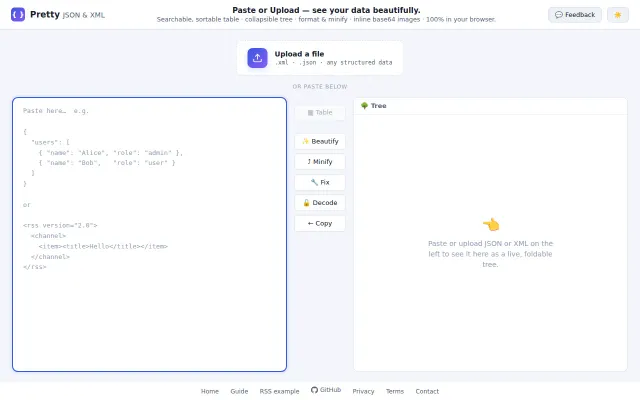
A JSON/XML viewer that turns your data into a real spreadsheet table
JSON viewer with table view when JSONLint and browser DevTools already exist.
Solve My Problem
aleksandre_dev
308d ago
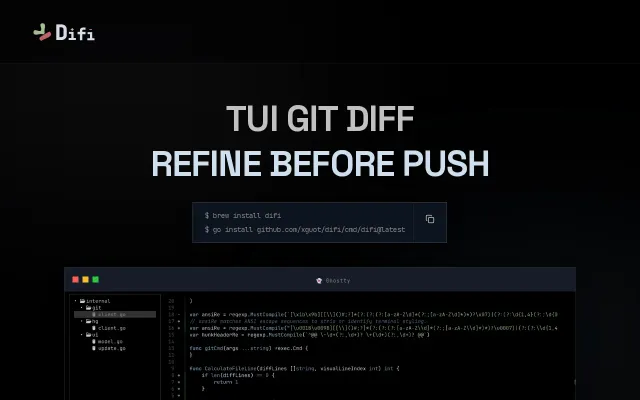
TUI source code viewer to browse full source code with git diff previews inline with easy keyboard navigation of both the source code and the file tree
LazyGit-style TUI for browsing diffs inline with keyboard-friendly tree nav, no mode switching.
Developers using AI code generation (Cursor, Codex), terminal-native workflow advocates
LazyGit · vim NeoTree · Ranger
While I was coding with Codex I missed a tool that - like Cursor - shows diffs inline while it is able to do both tree navigation easily with keyboard and navigate the source code without changing mode (like in vim).
My favourite tool in TUI was lazygit, but I wanted a way to see the diffs inside the whole source code.
As this looked like a nice little project to vibe code in a few days, I did it and tried to perfect the integration of the few features that I wanted together: - Full easy keyboard + mouse navigation - Multiple tree support (unlike VS code / Cursor) - Inline diff - Ripgrep fast search - Sticky function/class headers
I tried tools like ranger and other navigators, and vim NeoTree preview, but none of these tools were really good for my use case.
Now what I got is an ugly code base in a super functional tool
JSON viewer with table view when JSONLint and browser DevTools already exist.
Terminal Git client with side-by-side diffs and inline editing — git add -p on steroids.
Neovim-powered diff viewer that works standalone, no plugin manager or config required.
Purpose-built diff reviewer for AI-generated code, vim-native, actually ships.
Magit-style Git GUI in Rust, but GitKraken and lazygit already dominate this space.