Developer Tools●●●Banger
My colleague said my prompts were unreadable. I built a prompt builder
Structured prompt builder with Chrome extension injection and Claude MCP—solves real friction.
Solve My ProblemShip ItSlick
hkonte
113mo ago
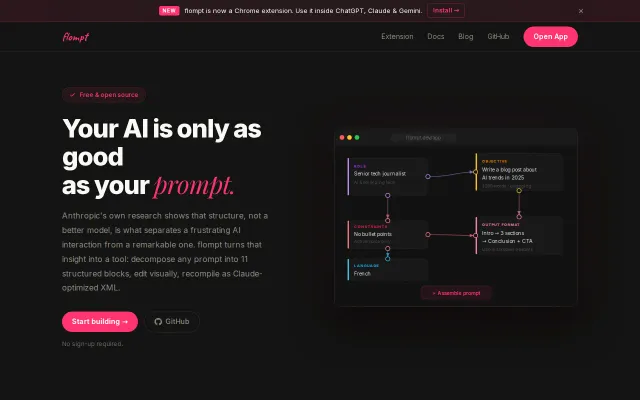
flow + prompt = flompt - Visual AI Prompt Builder. Decompose, edit as flowchart, recompile into optimized machine-readable prompts
Figma for prompts with React Flow—but prompt engineering tools already exist.
AI engineers, prompt engineers, Claude power users
Anthropic Prompt Templates · OpenAI's prompt engineering guides · ChatGPT custom instructions
Three interfaces: web app (React Flow canvas), browser extension (injects into ChatGPT/Claude/Gemini toolbars), and MCP server for Claude Code.
Stack: React + TypeScript + React Flow + Zustand, FastAPI + Claude API backend, Caddy.
Free, no account, open-source. Demo: https://youtu.be/hFVTnnw9wIU
Structured prompt builder with Chrome extension injection and Claude MCP—solves real friction.
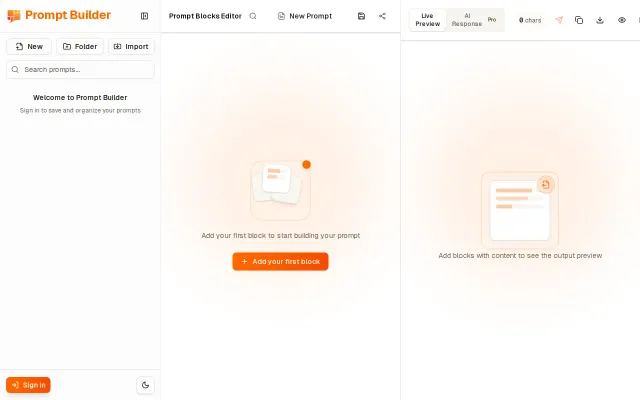
The block metaphor and live compiled preview are honest, practical improvements for anyone wrestling with long, conditional prompts — toggles for A/B testing and global {{vars}} are especially handy. Multi-model execution and editable response panes show the author thought about iteration and comparison, but the screenshot feels safe and functional rather than boldly new; I want to know how it handles collaboration, exports, and model/credit management.
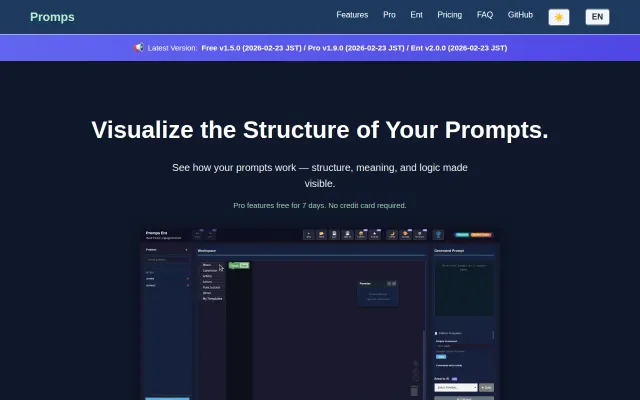
Blockly-based prompt editor beats text-only alternatives, but prompt builders already exist.
Finally a UI for iterating LLM prompts across thousands of documents instead of text-only CLI.
Workflow canvas for AI tasks, but ComfyUI and Zapier already solve this space.
MITM proxy catches leaked secrets before they hit AI APIs — better than post-hoc scanning.