Productivity○Pass
Open Right Zoom, Open Source Alternative to Right Zoom for macOS
Right Zoom clone but macOS window management is solved by Mission Control.
michele0303
103mo ago
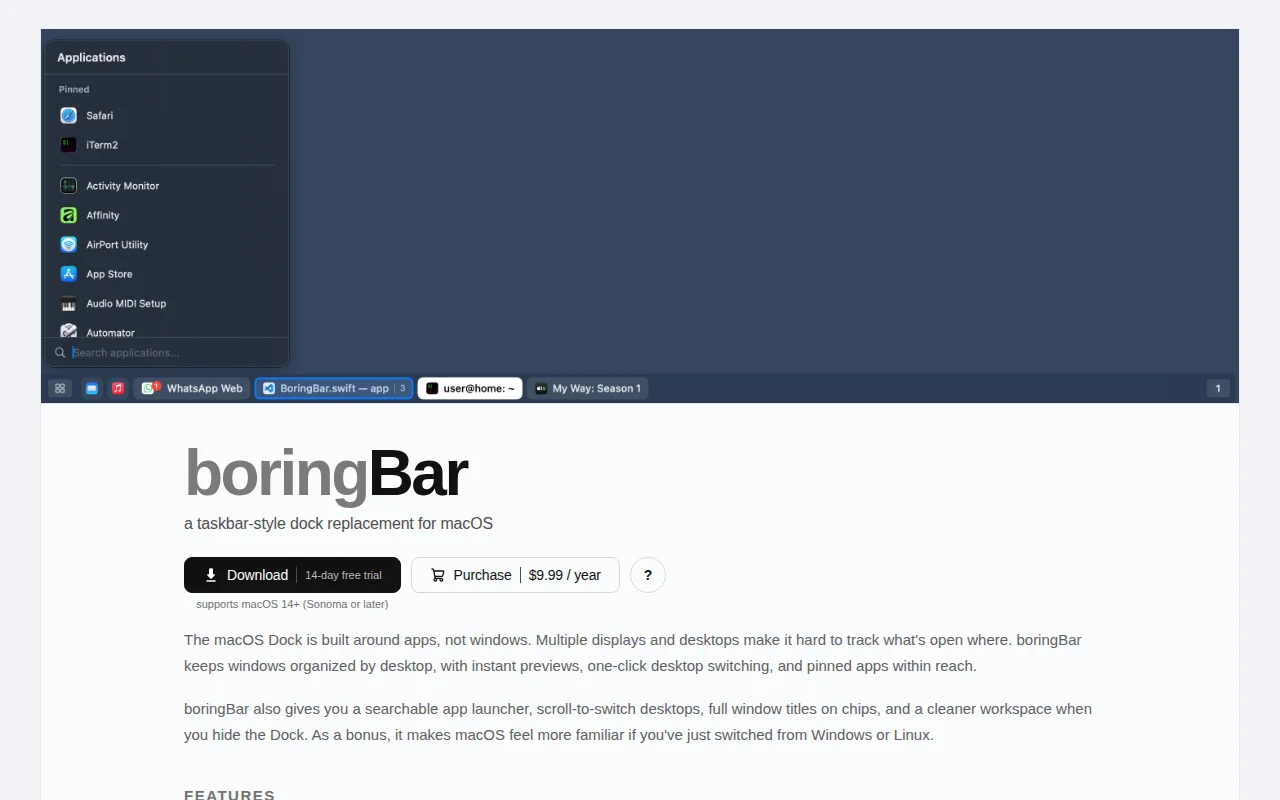
Windows-style taskbar for macOS when uBar feels too heavy.
macOS users, Windows switchers
uBar · Taskbar for Mac · HiddenBar
I recently switched from a Fedora/GNOME laptop to a MacBook Air. My old setup served me well as a portable workstation, but I’ve started traveling more while working remotely and needed something with similar performance but better battery life. The main thing I missed was a simple taskbar that shows the windows in the current workspace instead of a Dock that mixes everything together.
I built boringBar so I would not have to use the Dock. It shows only the windows in the current Space, lets you switch Spaces by scrolling on the bar, and adds a desktop switcher so you can jump directly to any Space. You can also hide the system Dock, pin apps, preview windows with thumbnails, and launch apps from a searchable menu (I keep Spotlight disabled because for some reason it uses a lot of system resources on my machine).
I’ve been dogfooding it for a few months now, and it finally felt polished enough to share.
It’s for people who like macOS but want window management to feel a bit more like GNOME, Windows, or a traditional taskbar. It’s also for people like me who wanted an easier transition to macOS, especially now that Windows feels increasingly user-hostile.
I’d love feedback on the UX, bugs, and whether this solves the same Dock/Spaces pain for anyone else.
P.S. It might also appeal to people who feel nostalgic for the GNOME 2 desktop of yore. I started my Linux journey with it, and boringBar brings back some of that feeling for me.
Right Zoom clone but macOS window management is solved by Mission Control.
Touch Bar tmux switcher—useful if you still have a 2020 MacBook Pro.
Finally fixes the Dock jumping annoyance that macOS should have solved years ago.
Menu bar tracker for Claude Code/Gemini sessions—solves real context loss, but audience is narrow.
Multi-tool session monitor via PTY wrapping, plugin events, and fallback scanning.
See compose sequences before replacement, unlike invisible Linux compose keys.