Gaming●Mid
S&box watch, a live index of the Source 2-powered s&box ecosystem
Useful for s&box users, but the ecosystem itself has limited adoption.
Niche Gem
crosschainer
313d ago
Solves a 10-year-old stale W3C CSS proposal that no other tool addresses.
Frontend developers and designers caring about typography
letter-spacing CSS · optical margin alignment tools
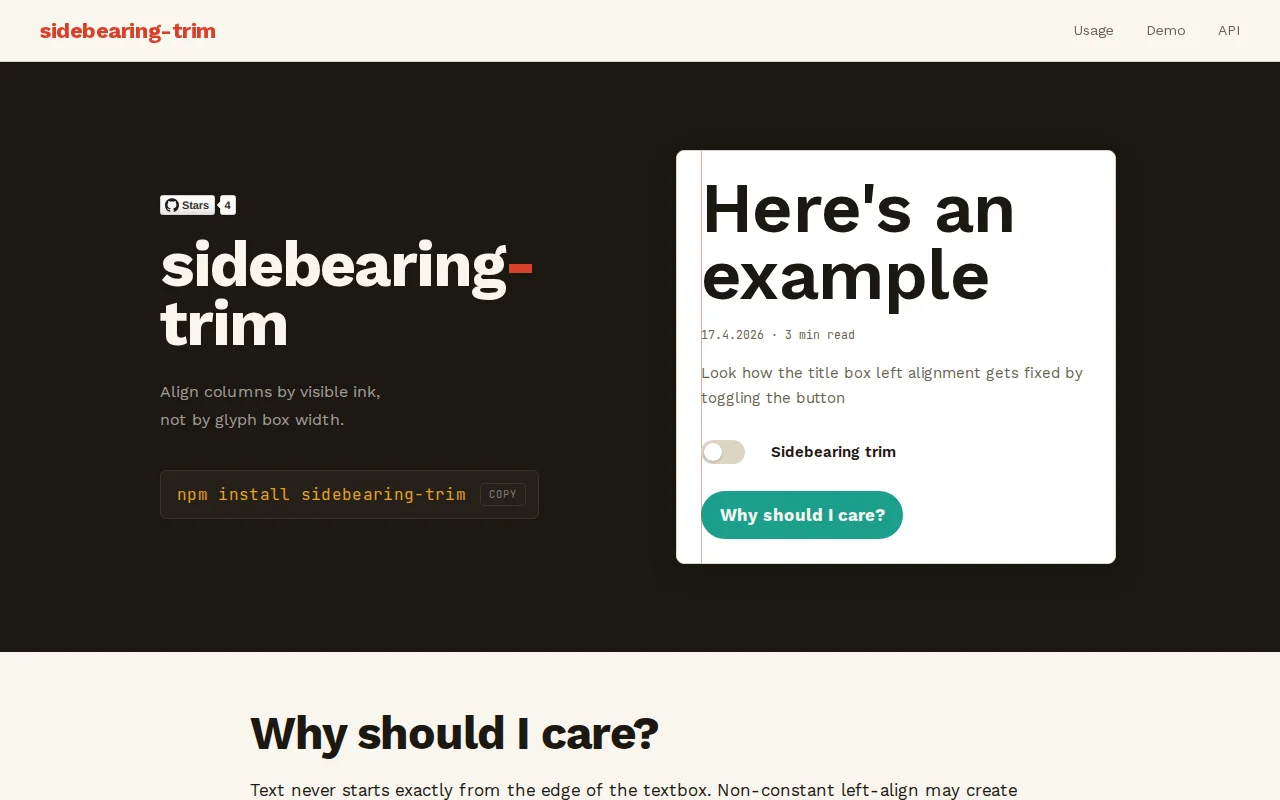
I'm sure most of you have at least subconsciously noticed that when aligning heading to a layout edge or another element, text always appears slightly indented. This is indistinguishable on smaller font sizes, but starts to be noticeable especially on bigger sans-serif font sizes.
This has been discussed in the internet without any proper solutions. There's even a W3C CSS proposal from 2014 for "font-side-bearings: trimmed" that has remained stale. https://lists.w3.org/Archives/Public/www-style/2014Jan/0242....
This npm-package 'sidebearing-trim' fixes the issue. By extracting .woff font metrics we're detecting starting characters of the visual lines and shift each row by exactly the sidebearing value of its first glyph.
This is my first npm package so please expect it to be still rough around the edges. Happy to hear your feedback!
Useful for s&box users, but the ecosystem itself has limited adoption.
250+ tests and Unicode grapheme handling for a CLI textarea nobody else built.
Yet another audio cutter when mp3cut.net and AudioTrimmer already exist.
Smart e-ink health dashboard, but you need both an Ultrahuman Ring AND a TRMNL device.
Turns videos into font glyphs for terminal animation without Kitty or Sixel protocols.
NPM supply chain scanner competing against Socket, Snyk, and npm audit.