Productivity●●Solid
Stochos – Keyboard driven mouse control
Open-source mouseless alternative with macro recording and resolution-independent replays.
Niche GemCozy
ploMP4
202mo ago
Home button toggles controller between gamepad and trackpad mode instantly.
Mac users who cloud game or use controllers for media
BetterTouchTool · Joystick Mapper · Steam Link
I cloud game on my Mac plugged into an external display — controller in hand, couch mode, trackpad halfway across the room. Which works fine until something interrupts: a Slack ping, a browser tab I need to click, a password field.
Every interruption used to mean pausing, standing up, grabbing the trackpad, doing the one-second task, putting the trackpad back, rebinding my hands on the controller, and finding my place in the game. The interruption was always an order of magnitude longer than the thing it actually interrupted.
Macpad collapses it into one button. Press Home/PS → the left stick becomes my cursor, A is left click, and there's an on-screen keyboard an L1+R1 chord away if I need to type. Do the thing. Press Home again → back to the game, zero context lost.
That's the whole pitch. Not a trackpad replacement for its own sake — a fast context switch between "I'm gaming" and "I'm on my Mac", without standing up.
The interesting engineering bit, if you're into that: Apple's driver silently hides the PS button from the GameController framework on macOS. GCController.physicalInputProfile lists "Button Home" but its pressedChangedHandler never fires — the OS swallows the event for its Game Center overlay. But the button isn't gone. It's right there in the raw HID input report.
Chromium's WebHID does exactly this: opens the device with IOHIDDeviceRegisterInputReportCallback, reads the full 64-byte input report, and masks the button bit itself. So I did the same — byte 6 bit 0 on DS4 USB, byte 9 bit 0 on DualSense Bluetooth, etc. Same trick unlocks the Create/Share button and the touchpad click, which Apple's driver also drops on the floor.
Other rabbit holes that were way more interesting than I expected:
- Left clicks turning into right clicks. Posting ⌃Tab via CGEvent leaks the control flag into macOS's combined-session modifier state. The next synthetic mouse click inherits ctrl, and on macOS ctrl+click == right-click. Fix: explicitly reset flags = [] on mouse events, let keyboard events keep inheriting (otherwise you break system shortcuts). - L1+R1 chord for the keyboard, with a 150ms window. Quick-tapped shoulders must still fire their normal action; the chord only wins if both arrive inside the window. Deferred-DispatchWorkItem + cancel-on-opposite-arrival. - Haptics that actually feel like a mechanical click = a sharp transient layered over a 40ms continuous tail. One event alone feels like a flat buzz. Two layered events feel like a keycap.
Honest disclosure: a lot of this was vibe-coded with Claude. I drove, Claude did plenty of the typing. I'm calling that out because the interesting thing isn't that I hand-wrote every line — it's that the debugging stories above (the PS button, the modifier leak, the chord window timing) are all real problems we actually hit, diagnosed from logs, and fixed. The AI was a good typist; the system design, the "wait, why does this work in Chromium but not us", the hypothesis-forming — still the work.
Works on macOS 14+, Liquid Glass UI on Tahoe, Swift Package Manager, no dependencies. MIT.
Repo + full bindings + architecture notes: https://github.com/henit-chobisa/macpad
Open-source mouseless alternative with macro recording and resolution-independent replays.
Input-only LAN streaming beats Synergy latency without Parsec's video overhead.
Screenshot object recognition beats simple coordinate replaying.
Vimium for your entire desktop with Hilbert curve hint distribution.
Retina-aware screenshot + deterministic coordinate mapping for agent desktop control.
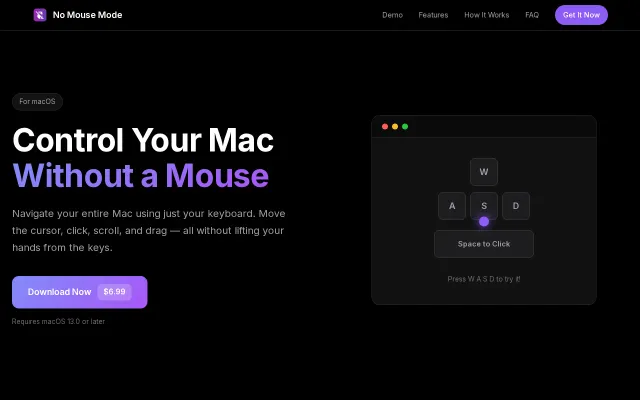
Maps intuitive WASD movement, Space/Return clicks, and an on/off global hotkey into a lightweight, menu-bar macOS app — the core feature set is focused and practical. The product's custom key bindings, speed-boost modifier, and native Intel/Apple Silicon support make it genuinely useful for people who hate reaching for the mouse, though the idea isn't groundbreaking and requires Accessibility permissions which may scare casual users.