Productivity●Mid
LLM Evaluator for "Who is hiring" threads
One-day Gemini wrapper for HN job matching; caching and UI issues block real use.
Ship It
xlii
103mo ago
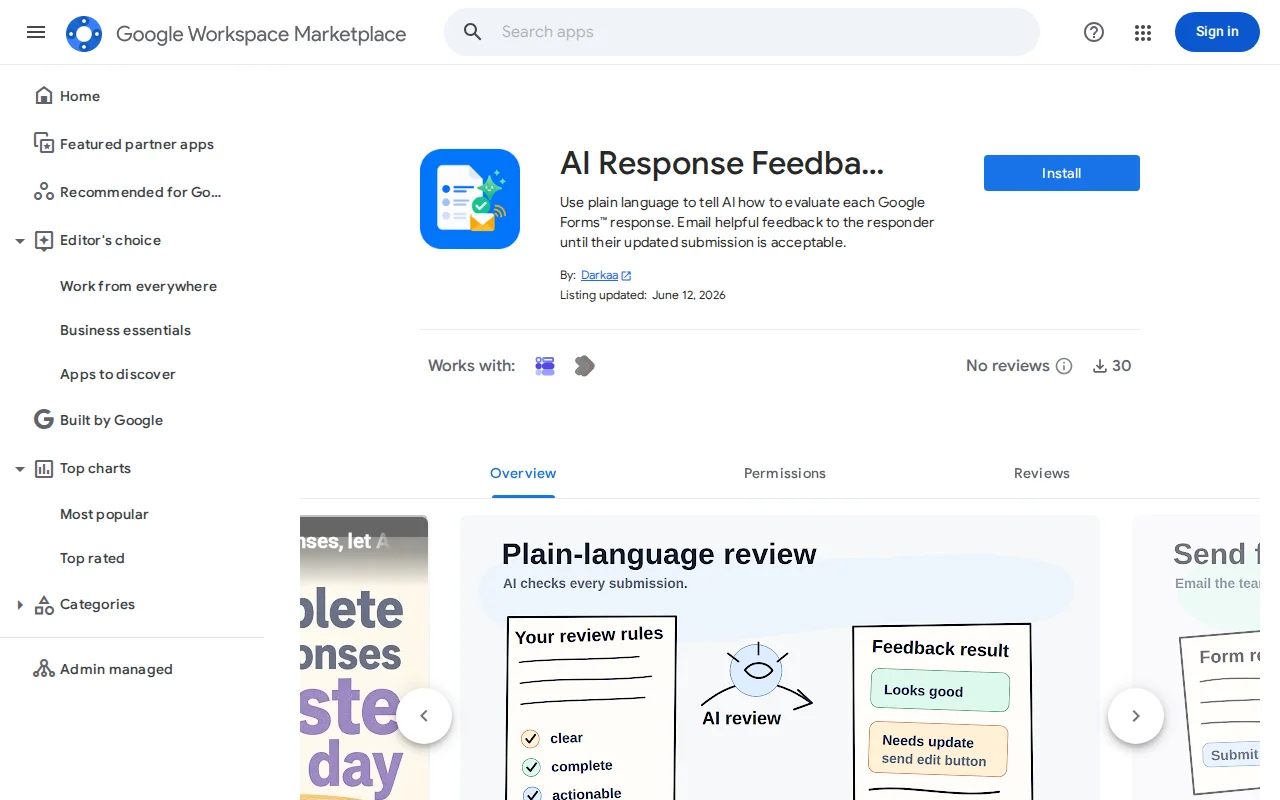
Iterative AI feedback loop with resubmission links beats static form validation.
Team leads, support managers, educators using Google Forms
Zapier AI actions · Typeform AI features · Formstack AI
Collecting form responses is one thing, but once you try to use them, a lot of them turn out to be unusable. Some are missing critical information or answering the wrong question (think but report with no steps to reproduce, support queries suffering from the XY problem [1], etc.). Classic required fields and regex validation help with syntax, but they can't tell you whether the answer actually makes sense for what you need to do with them.
I built a Google Forms add-on that lets you describe what a good answer looks like in plain text ("should say what they were doing when the issue happened", "should explain what they tried before reaching out", "should be specific, not just say it doesn't work") and then automatically emails gentle feedback to each respondent after they submit, with a submission update button. If the next submission still falls short, they hear from it again. It stops when you say it's good enough, or when you turn it off.
Of course, this doesn't prevent computer-generated SPAM, if the spammers learn to automatically send actionable and clear responses, but see [2].
A couple surprising things:
- Responders are more willing to update their submissions than you'd expect, as long as the feedback is tailored and specific, which this helps with.
- Some people engage with AI feedback more readily than with human comments. Maybe because it doesn't feel personal?
- Writing the feedback instructions in the setup wizard is useful by itself. You frequently realize that you were asking the wrong questions on the form, and didn't make yourself clear enough.
The AI writes the email based on your instructions. You can calibrate on a few test submissions to make sure you're not being too lax or too annoying. You can bring your own Gemini key, but it is not required. It hooks into the Forms submit trigger and sends email through the Gmail service by default. It's available on the add-on directory [3].
[3] https://workspace.google.com/marketplace/app/ai_response_fee...
One-day Gemini wrapper for HN job matching; caching and UI issues block real use.
Deterministic policy matrices block AI agents from executing dangerous API calls.
Cedar policies block `terraform destroy` before AI agents execute it.
Self-describing API responses for agents, but REST + Problem Details already solve this partially.
Sub-2ms policy guard for agent tool calls—real safety layer where none existed.
Turns any HTML form voice-accessible with one script, auto-mapping speech to fields.